
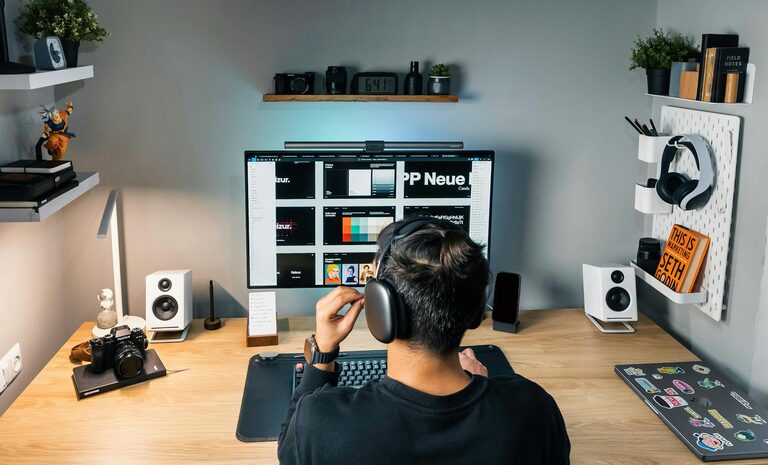
Creating a cozy yet productive home workspace can significantly improve your efficiency and overall well-being while working from home. A thoughtfully designed space helps reduce distractions and keeps you motivated throughout the day. Whether you have a dedicated room or a small corner, these tips will help you craft an environment that balances comfort with functionality.
Choose the Right Location
The first step is selecting a spot in your home that suits your work style and needs:
– Natural Light: Pick a location near a window to benefit from natural daylight. It can enhance mood and reduce eye strain.
– Quiet Environment: Choose a place away from high-traffic areas or noisy spots to minimize interruptions.
– Space Availability: Ensure there is enough room for your desk, chair, and other essentials without feeling cramped.
Invest in Comfortable and Ergonomic Furniture
Comfort is key for productivity and long-term health.
– Ergonomic Chair: Select a chair that supports your back and encourages good posture.
– Proper Desk Height: Your desk should allow your arms to rest at a 90-degree angle when typing.
– Adjustable Accessories: Consider monitor stands or laptop risers to keep screens at eye level, reducing neck strain.
Personalize Your Workspace
Adding personal touches makes your workspace feel inviting.
– Decor: Use calming colors, artwork, or plants to create a pleasant atmosphere.
– Lighting: Besides natural light, include task lighting like desk lamps with adjustable brightness.
– Organizers: Utilize trays, pen holders, or drawer dividers to keep your desk tidy.
Minimize Distractions
A clutter-free and organized workspace helps maintain focus.
– Cable Management: Use clips or sleeves to keep cords organized and prevent tangling.
– Noise Control: Consider noise-canceling headphones or white noise machines if external sounds are distracting.
– Digital Clean-Up: Keep your computer desktop organized and close unused apps or tabs during work hours.
Set Boundaries and Schedule Breaks
Maintaining a healthy work routine is essential.
– Defined Work Hours: Stick to consistent start and end times to establish work-life boundaries.
– Break Area: If possible, have a separate spot for breaks to mentally switch off from work.
– Movement: Stand up, stretch, or take short walks regularly to avoid stiffness and fatigue.
Utilize Storage Solutions
Good storage reduces mess and increases efficiency.
– Shelving Units: Open shelves can hold books and frequently used items within reach.
– Filing Systems: Use labeled folders or boxes to organize paperwork.
– Multipurpose Furniture: Desks with built-in drawers or cabinets help save space.
Use Technology Wisely
Leverage technology to streamline your workflow.
– Reliable Internet: A strong connection is vital for video calls and online tasks.
– Quality Equipment: Invest in a good headset, webcam, and keyboard to enhance comfort and communication.
– Productivity Apps: Explore apps for task management, time tracking, and note-taking to stay organized.
Keep It Clean and Refresh
A clean workspace promotes a clear mind.
– Daily Tidying: Spend a few minutes at the end of each day to put things in order.
– Regular Deep Cleaning: Dust surfaces, vacuum floors, and sanitize your equipment regularly.
– Air Quality: Open windows when possible or use air purifiers to maintain fresh air.
—
By thoughtfully designing your home workspace with these tips, you can create an environment that feels welcoming, reduces stress, and promotes productivity. Remember that your workspace should reflect your personal preferences while being functional enough to support your daily tasks. Take time to adjust and improve your setup as you discover what works best for you.
About the Author